PSB Nepal1.2.0
Publisher Description


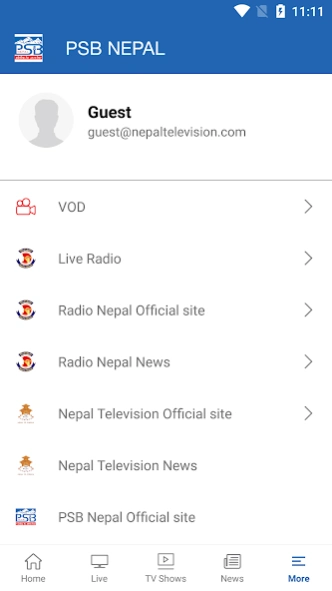
PSB Nepal with Slogan "Communications for Development."
Public Service Broadcasting Nepal (PSB Nepal) is the national public service broadcaster of Nepal, established under the Public Service Broadcasting Act, 2081 (2024). It was formed through the merger and transformation of Radio Nepal and Nepal Television, two of Nepal’s most historic and trusted media institutions.
PSB Nepal operates with a commitment to deliver quality, credible, and people-centered content that informs, educates, and entertains the public. Guided by the principles of transparency, inclusivity, and national service, PSB Nepal works to strengthen democracy, promote cultural diversity, and ensure access to reliable information across the country.
With modern technology and an independent structure, PSB Nepal continues to evolve as a trusted and responsible voice of the nation, connecting Nepali audiences at home and abroad through radio, television, and digital platforms.
About PSB Nepal
The company that develops PSB Nepal is NITV NEPAL. The latest version released by its developer is 1.2.0. This app was rated by 1 users of our site and has an average rating of 5.0.
To install PSB Nepal on your Android device, just click the green Continue To App button above to start the installation process. The app is listed on our website since 2025-11-06 and was downloaded 55 times. We have already checked if the download link is safe, however for your own protection we recommend that you scan the downloaded app with your antivirus. Your antivirus may detect the PSB Nepal as malware as malware if the download link to com.ott.ntv is broken.
How to install PSB Nepal on your Android device:
- Click on the Continue To App button on our website. This will redirect you to Google Play.
- Once the PSB Nepal is shown in the Google Play listing of your Android device, you can start its download and installation. Tap on the Install button located below the search bar and to the right of the app icon.
- A pop-up window with the permissions required by PSB Nepal will be shown. Click on Accept to continue the process.
- PSB Nepal will be downloaded onto your device, displaying a progress. Once the download completes, the installation will start and you'll get a notification after the installation is finished.
Program Details
System requirements
Download information
Pricing
Version History
version 1.2.0
posted on 2025-11-06
Minor Bug Fixes
New Feature Live Radio
version 1.1.8
posted on 2024-04-26
Minor Bug Fixes
version 1.1.7
posted on 2021-07-15
Voting Portal Update
Minor Bug Fixes
